🚀 toastalert v2.0.0 Released — Lightweight, Flexible JS Toast Notification Library
🔔 Introduction
We’re excited to announce the release of toastalert v2.0.0, a significant upgrade to our lightweight JavaScript toast notification library. Whether you're building a dashboard, CMS, admin panel, or a blog — this plugin helps deliver beautiful, non-intrusive messages to your users in seconds.
Built with vanilla JavaScript and jQuery compatibility, it's perfect for modern web projects.
✨ What’s New in v2.0.0
| Feature | Description |
|---|---|
| ✅ Fade Animation | Smooth in-out transitions for toasts. |
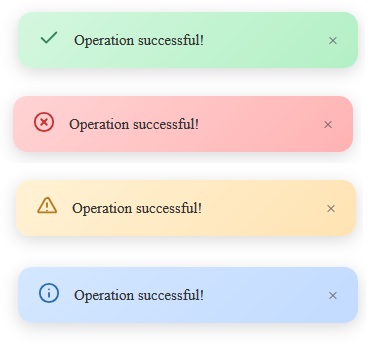
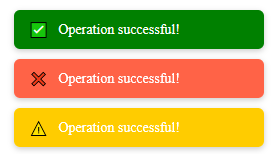
| ✅ Icon Support | Auto-injects status icons (✅ ❌ ⚠️ ℹ️) based on type. |
| ✅ Positioning Support | Easily place your toast: top-left, top-right, bottom-left, or bottom-right. |
| ✅ CDN + jQuery Plugin | Works standalone or as a chainable jQuery plugin. |
| ✅ Reload or Redirect | Add reload: true or url: 'page.html' for post-toast actions. |
🔧 Installation
📦 CDN (No jQuery Required)
🧩 CDN with jQuery Plugin Support
🧪 Usage Examples
✅ Vanilla JS
toastalert.showToast({
message: "Operation successful!",
status: "success",
position: "top-right",
reload: false,
url: "https://example.com",
});
https://softondemand.co.in/api/toast/toastalert.v2.0.0.js
✅ jQuery Plugin
$('body').toastAlert({
message: "Something went wrong.",
status: "error",
url: "/login"
});
🧩 Status Types & Icons
status |
Icon | Color |
|---|---|---|
success |
✅ | Green |
error |
❌ | Tomato |
warning |
⚠️ | Yellow |
info |
ℹ️ | Gray |
📍 Positioning
Use the position option to set where the toast appears:
-
top-left -
top-right -
bottom-left -
bottom-right(default)
🔁 Auto Actions
toastalert.showToast({
message: "Redirecting...",
status: "info",
url: "/dashboard" // or use `reload: true`
});
📜 Changelog
🆕 v2.0.0
-
Added fade animation
-
Icon support for toast types
-
Custom positioning
-
jQuery plugin integration
-
Improved accessibility
-
Graceful DOM cleanup
📘 Coming in Future Versions
-
Manual close button (
X) -
Toast queue & stacking
-
Dark mode theming
-
Custom icon/image injection
-
Toast duration config per type
🙌 Why Use toastalert?
-
Lightweight and dependency-free
-
Easy to integrate with any existing UI
-
Works with or without jQuery
-
Clean UI without bloated libraries
-
Fully open-source and extendable
🧑💻 Contribution & Feedback
We welcome issues, feature requests, and pull requests. Help us improve toastalert for the community!