🚀 Advanced Custom Toast Notification Library (Lightweight, Dependency-Free)
This modern JavaScript Toast Notification Utility allows developers to display beautiful, clean, mobile-responsive toast alerts with support for:
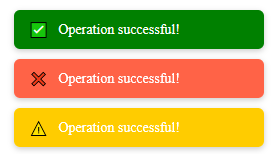
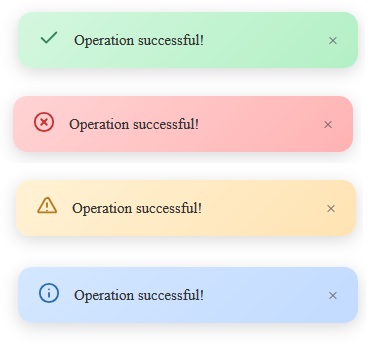
- ✅ Multiple Status Styles — Success, Error, Warning, Info
- 🧭 Custom Toast Position — top-left, top-right, bottom-left, bottom-right, center
- ⏳ Auto Duration Control — Set display time dynamically
- 🔁 Auto Page Reload or Redirect — After toast expiration
- 🎨 Smooth Animations & Glass Blur UI — Modern minimal look
- 🧩 jQuery Compatible — Use via toastalert.showToast() or $(...).toastAlert()
We welcome issues, feature requests, and pull requests. Help us improve toastalert for the community!
This library offers a production-grade UI, perfect for form validations, AJAX responses, login/signup feedback, and system-level alerts.
✨ Toast Example – One Line Usage
'<script src="https://cdn.jsdelivr.net/gh/ssofton/cdn/toast-alert-1.0.0/loastalert.js"></script>'
toastalert.showToast({
message: "Your profile has been updated successfully!",
status: "success",
position: "top-right",
duration: 3500
});
$.fn.toastAlert({
message: "Invalid Password!",
status: "error",
position: "center"
});
🧠 Smart Default Handling
If no parameter is provided, the toast automatically falls back to defaults:
| Option | Default | Description |
|---|---|---|
| message | "Message Content" |
Content inside the toast |
| status | "info" |
success, error, warning, info |
| duration | 4000ms |
Auto close after timeout |
| position | "top-right" |
5 placement variations |
| reload | false |
Whether page should reload |
| url | null |
Redirect after toast |
This makes it safe for backend return calls like Ajax/FETCH POST results.
🎨 Modern UI Highlights
- Glassmorphism design
- Smooth fade + slide animation
- SVG vector icons for pixel-perfect rendering
- Soft color gradients per status
- Auto-destroy toasts & container cleanup